Film Manhunt: a brief for creators
Manhunt is hide-and-seek plus tag plus a jail, played outside. Manhunt IRL is a free app that referees it, and it puts moments on screen that a camera can catch: a hunter's map showing a fuzzy circle instead of a dot, a runner's phone beating faster as a hunter closes in, a 5-second hold to break friends out of jail, and a replay of every route at the end. This page is what to film, how to set it up, what never to show, and the assets you're free to use.
The facts to get right
- Price: free for the whole group, with no ads during play. Up to 50 players in one game.
- Who needs what: one person hosts, from the iPhone app or the "Host a game" button at manhuntgame.com/play. Everyone else joins from a link or a QR code in any phone's browser, Android included, with no account.
- Names: the app is Manhunt IRL; the game is Manhunt. We're not connected to Rockstar's Manhunt games or to Minecraft.
- No paid program: we don't pay for posts and don't ask for them. If anyone ever gives you something of value for a post, disclose it (#ad or the platform's paid-partnership label), as the FTC's guidance says.
The pitch in one line
“It's Manhunt, but your phone is the referee. Hunters get a rough circle every one to three minutes at first, more often as the hunt goes on, runners feel a heartbeat when a hunter gets close, and it ends with a replay of everyone's route.”
The call to action that matches reality: “search MANHUNT IRL on the App Store”, or manhuntgame.com/links in your bio, where Android friends find the browser version.
Six moments that film well
- The ping. The hunter's screen shows a fuzzy circle around each hiding runner, never a live dot. Screen-record the hunter, then cut to the runner already slipping out of the circle.
- The heartbeat. When a hunter comes within about 80 m, the runner's phone starts to beat. It quickens at 50 m and pounds at 25 m, and it never says which direction. In the iPhone app and in Android browsers it's a vibration. In a browser on an iPhone it shows on screen only, unless the runner turns on sound for headphones. Film the phone and the runner's face.
- The jailbreak. A free runner holds the jailbreak button at jail for 5 seconds while every hunter is warned. Intercut the hold bar filling with a hunter sprinting back.
- The tag. The hunter taps Caught; the runner's phone asks them to confirm or dispute. Get both phones in one frame at the moment of the tag.
- Infection. In Infection mode every tagged runner becomes a hunter, so one survivor ends up against everyone.
- The ending. “Runners win” or “Hunters win”, a replay of every route, and awards like Houdini and Close Call. Film the group watching the replay together.
-
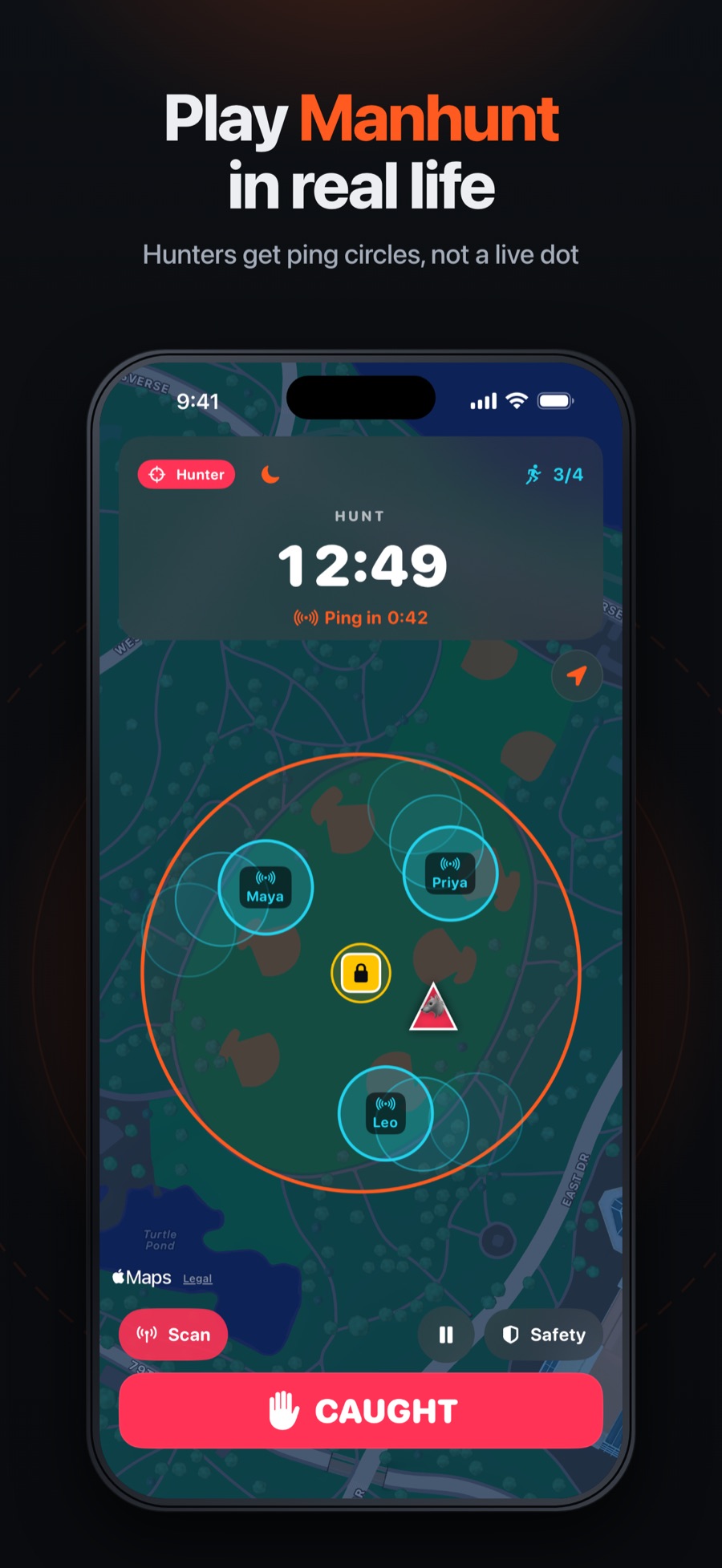 The ping: hunters get circles, not dots
 -
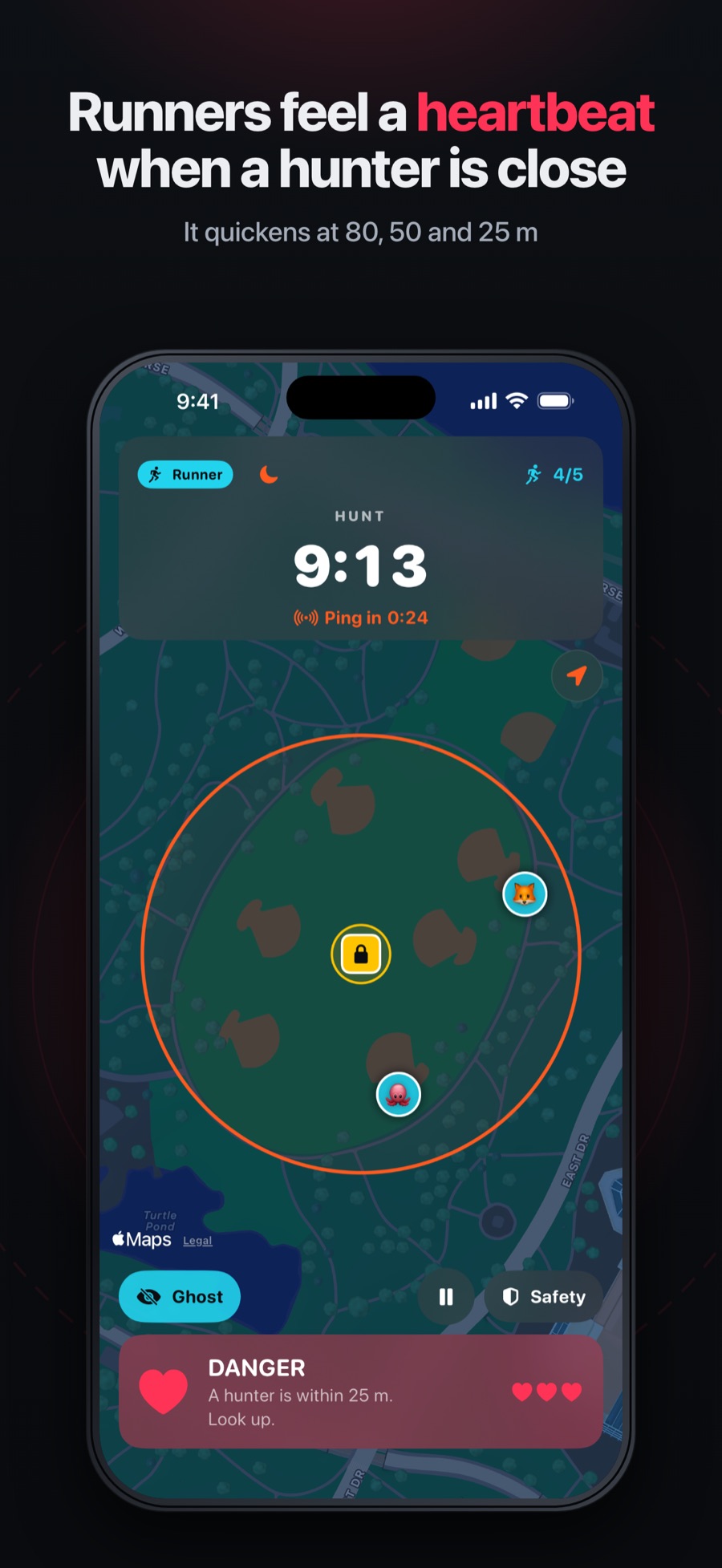 The heartbeat when a hunter is close
 -
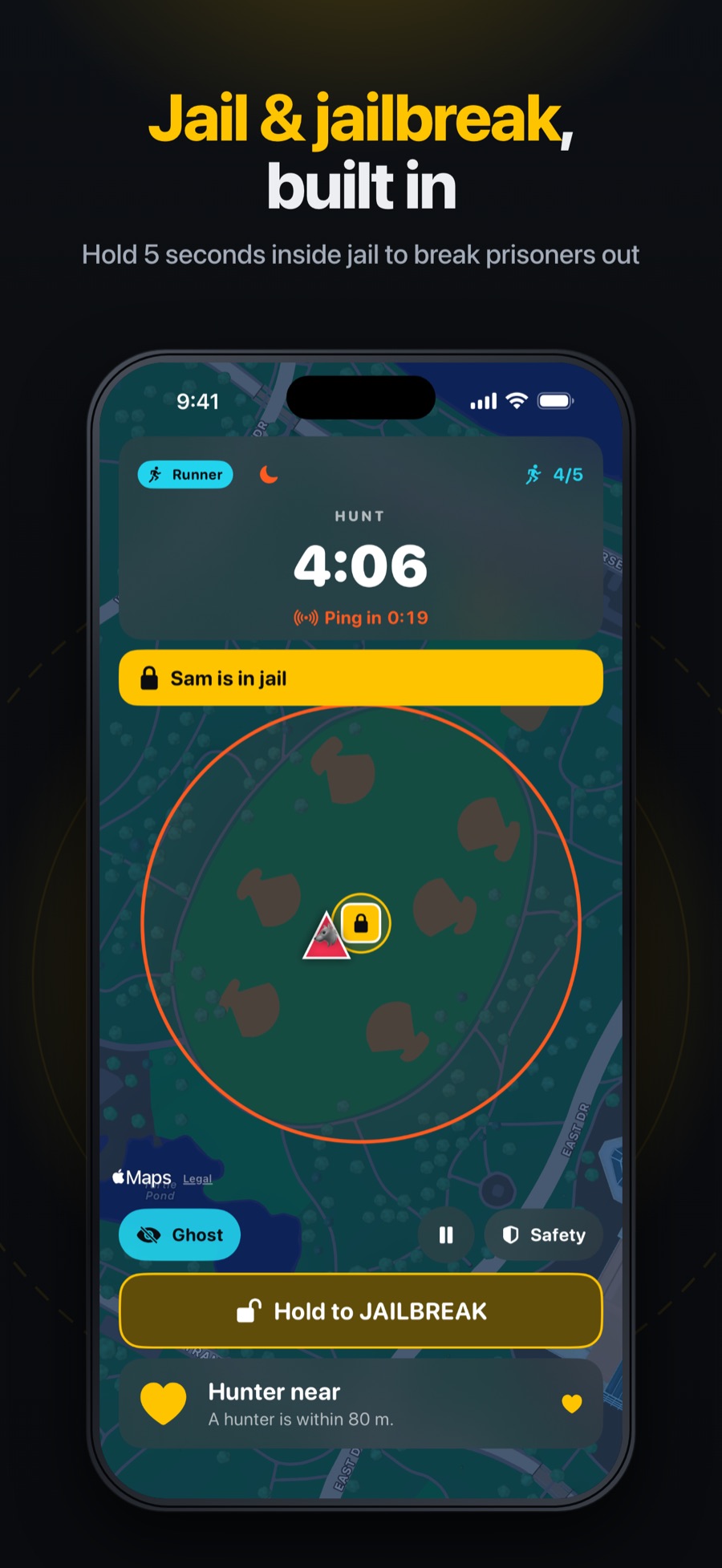 Hold to jailbreak
 -
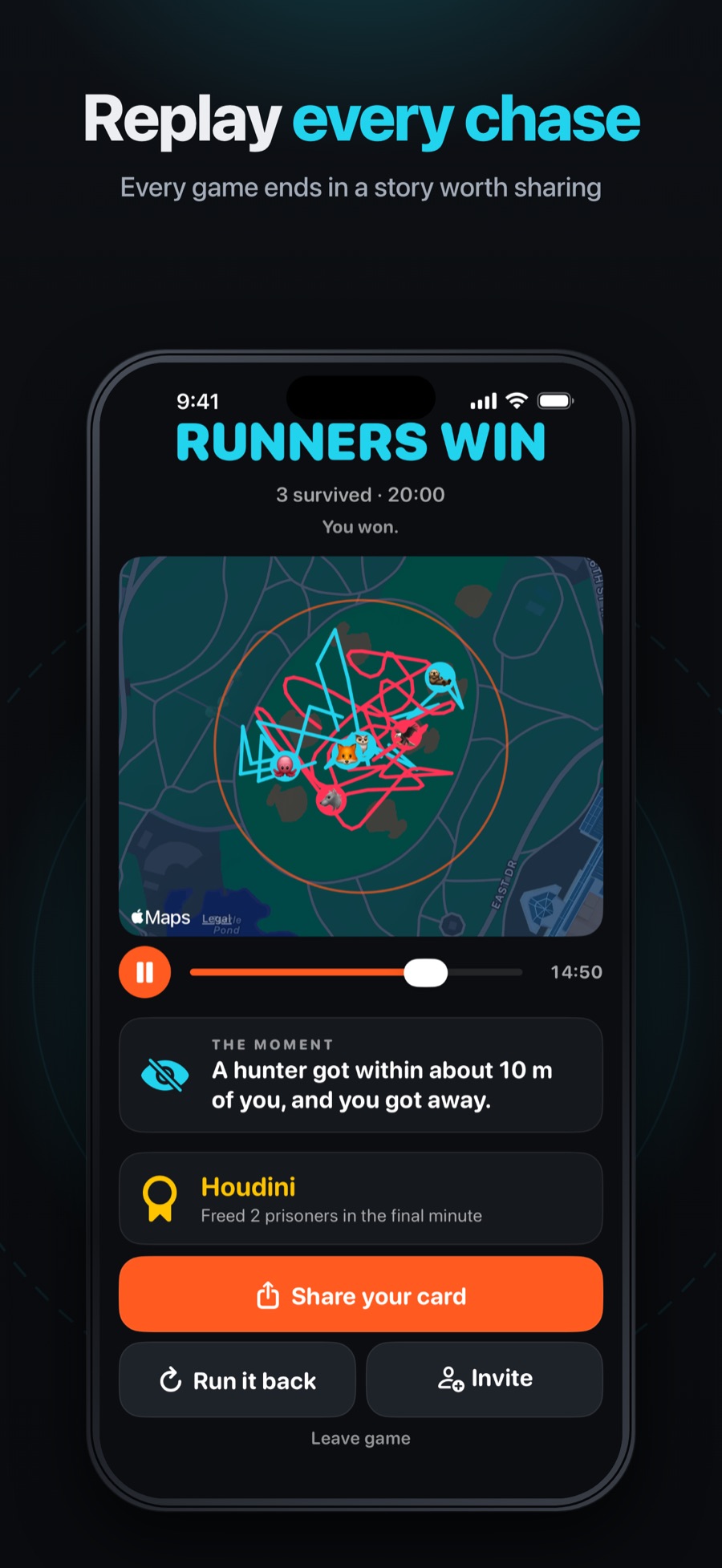 The replay and awards at the end
Set up a filmed game
- Pick a public park with clear edges, away from roads and water, and walk it first.
- Host the game on an iPhone with the Manhunt IRL app, or tap “Host a game” at manhuntgame.com/play.
- Everyone joins by scanning the host's QR code or tapping the invite link. No account, no download for browser players.
- Make the person filming the referee. The referee doesn't run and can pause the game, and with at least four other phones playing, sees every player's position live: the overview an edit needs. Every player can see who the referee is.
- Rehearse a moment with two phones before the real round, so you know where to point the camera.
- Screen-record from Control Center on iPhone. It captures the screen and the app's sounds, not the vibration.
Want footage before you get a group together? The browser demo plays a game against bots with no location needed. It's a simulation, so label any clip from it “demo”.
Filming rules
- Adults who said yes on camera. No identifiable minors, ever.
- Never show a live game's code or QR code. It's the key to that group's lobby. Blur street names, house numbers and map labels too.
- Touch tags only, even as a joke, inside a boundary. No roads, water, private yards, roofs, high trees, cars or bikes. At night, keep lights on the players.
- Only real app behavior. Skits are fine; faked screens aren't. If you add a heartbeat sound in the edit to show what the vibration feels like, say so in the caption.
- Music: use your platform's licensed sounds.
Assets you can use
- Logo: SVG: logo and the app icon as a 512-pixel PNG
- App Store screenshots: the four above, at 900 × 1955 pixels
- Rule diagrams for explainers (playing area, ping circles, jailbreak, round flow): on the press page
- The rules to link in your description: manhuntgame.com/rules, and for groups, the printable night kit


Credit line: “Manhunt IRL · manhuntgame.com”.
Talk to us
Planning a video and want a walk-through, or found a bug on camera? Email hello@manhuntgame.com with “Creator” in the subject. Journalists: the press kit has the fact sheet and boilerplate.